
Search Google or Type a URL: Which Is Better for Browsing?
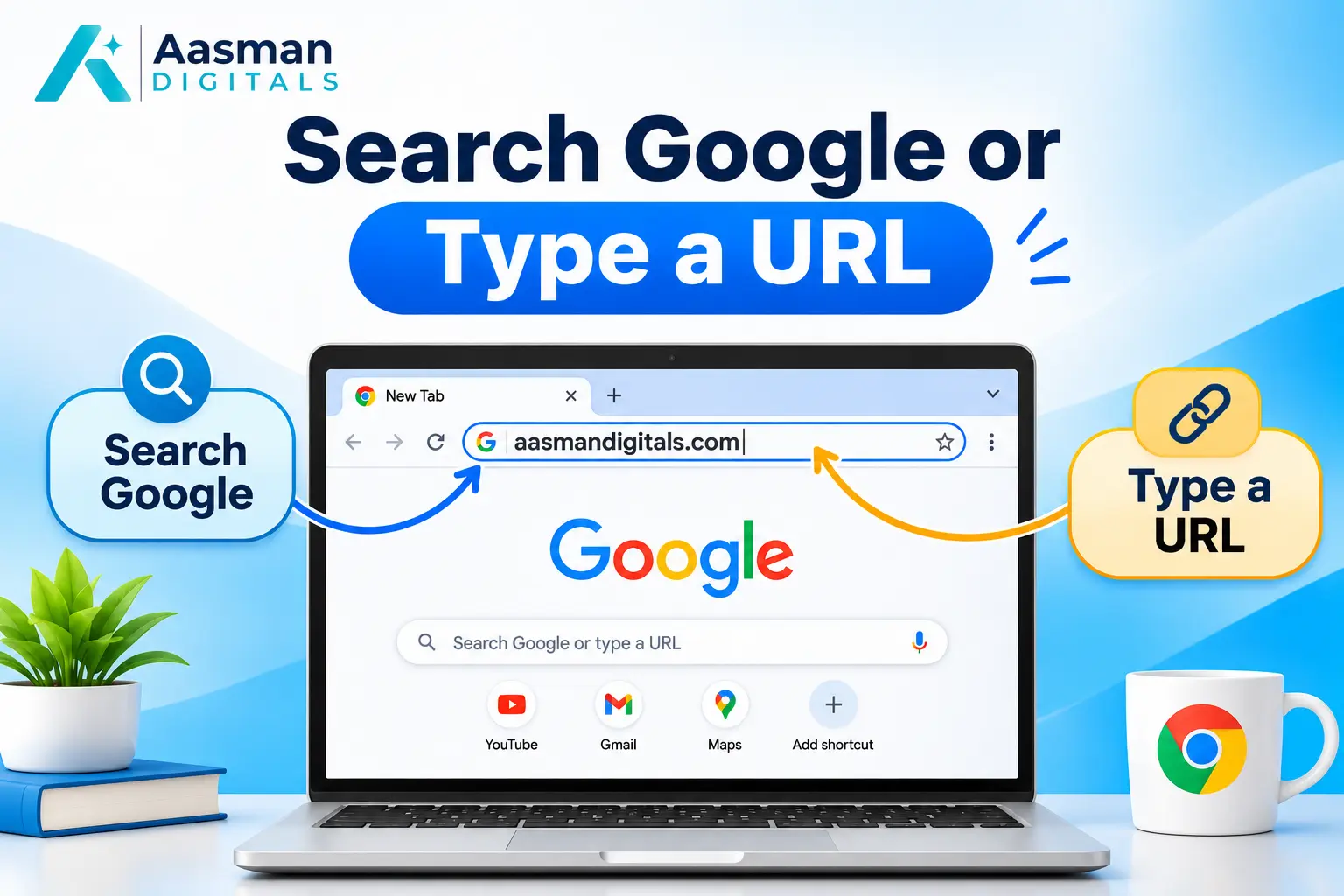
When you open Google Chrome, you may notice the words "Search Google or type a URL" in the address bar. This simple message gives you two ways to access websites. You can search for information or enter a website address directly.
But which option should you use? The answer depends on whether you know the website you want to visit.
Understanding how to search Google or type a URL can help you browse faster, find useful information, and avoid unsafe websites. This guide explains how both methods work, their differences, and when to choose each one.
What Does Search Google or Type a URL Mean?
The phrase "Search Google or type a URL" appears in the browser's address bar. It means you can use the same space to search the web or visit a specific website.
These two actions work differently.
Search Google: Enter words or questions to find websites related to your topic.
Type a URL: Enter a known website address to open that website directly.
For example, typing "Seo Marketing Agency" usually starts a search. Entering www.aasmandigitals.com takes you to that website.
Modern browsers can handle both actions without requiring separate search and address boxes.
Why Does Google Chrome Show This Message?
Google Chrome uses a combined search and address field called the Omnibox. It allows you to enter search terms, website addresses, and other supported commands.
The browser address bar can recognize whether you are entering a search query or a web address. Chrome then takes the appropriate action.
You may also see suggestions while typing. These can include previous searches, visited websites, and other relevant results.
The message is part of Chrome's normal interface. It does not indicate a browser error or a problem with your internet connection.
How to Search Google Using the Address Bar
If you do not know which website has the information you need, Google Search is a useful starting point.
Follow these steps to search using Chrome.
Step 1: Open Your Browser
Open Google Chrome on your computer, Android phone, or iPhone. You will see the address bar near the top of the browser or in its current mobile layout.
Step 2: Enter Your Search Query
Click or tap the address bar. Type a word, question, or short phrase related to the information you need.
For example, enter "how to improve website rankings" to find guides about SEO.
Step 3: Review the Search Results
Press Enter or tap the search button. Google displays results related to your query, which may include web pages, images, videos, and sponsored listings.
Step 4: Open a Relevant Website
Read the titles and descriptions before selecting a result. Choose a website that appears relevant and trustworthy.
This method works well when you need to compare several sources before making a decision.
How to Type a URL and Open a Website Directly
The second option in Search Google or Type a URL is direct website navigation. It is useful when you already know the correct web address.
Step 1: Open a Browser
Launch Chrome, Edge, Safari, or another browser that supports direct website navigation.
Step 2: Enter the Website Address
Select the address bar and type the complete website address or domain name.
For example:
https://www.aasmandigitals.com/
Check the spelling before continuing.
Step 3: Press Enter
Press Enter on your keyboard or tap Go on your phone. The browser attempts to open the website without showing a search results page first.
Step 4: Check the Website
Confirm that the page belongs to the website you intended to visit. Pay attention to the domain spelling, especially when opening banking, shopping, or payment websites.
Direct URL navigation saves time when you regularly visit the same websites.
Search Google or Type a URL: Key Differences
Both methods help you access information online. However, they serve different purposes.
| Feature | Search Google | Type a URL |
| Purpose | Find relevant information | Visit a known website |
| Website address | Not required | Required |
| Results | Multiple web pages | Selected website |
| Speed | May require extra clicks | Usually more direct |
| Best for | Research and comparisons | Regular website visits |
| Main risk | Misleading search results | Mistyped addresses |
The choice between Google search vs typing a URL depends on what you already know.
If you need several options, use search. If you already know the correct website, entering its URL is generally more direct.
Benefits of Searching Google
Google Search helps when you need information but do not know which website to visit.
Find Answers to Different Questions
You can enter questions about products, services, business topics, or everyday problems. Google displays related results from websites across the internet.
For example, a business owner searching for SEO advice may find guides about keywords, technical issues, and content planning.
Compare Multiple Websites
Search results allow you to review different sources before choosing one. This is helpful when comparing services, prices, or advice.
Businesses also use search to understand customer questions and online competition. Our guide tochoosing the right SEO services in India explains why search visibility matters when customers compare agencies.
Find Updated Information
Google Search can help you find recent articles, announcements, and updates. However, you should check publication dates and sources before trusting time-sensitive information.
Benefits of Typing a URL Directly
Entering a website address is useful when you know exactly where you want to go.
Reach Websites Faster
Typing the correct URL usually opens the intended website without requiring you to select it from search results.
This is useful for websites you visit regularly, such as email services, workplace tools, or online stores.
Avoid Unnecessary Search Results
Direct navigation removes the need to review multiple listings. It also helps you avoid clicking an unrelated sponsored result by mistake.
Access Specific Web Pages
A full URL can open a particular article, service page, or document rather than the website homepage.
For example, you can open a saved article aboutecommerce SEO services directly when you have its correct link.
When Should You Search Google or Type a URL?
Choosing between Search Google or Type a URL becomes easier when you consider your purpose.
Use Google Search When:
- You do not know the exact website address.
- You want to compare products or services.
- You need answers to a question.
- You want information from several sources.
- You are looking for local businesses.
Type a URL When:
- You know the correct website address.
- You regularly visit the same website.
- Someone has given you a trusted link.
- You need to open a specific page.
- You want to avoid an unnecessary search results page.
Neither method is always better. Use the one that matches your needs.
How to Make Your Browser Address Bar More Useful
The browser address bar offers several features that can make everyday browsing easier.
Change Your Default Search Engine
Chrome lets you choose a default search engine. Open Chrome Settings and find the Search engine section to review available options.
Your selected engine handles ordinary search queries entered into the address bar.
Use Search Shortcuts
You can enter simple search operators to narrow your results.
For example:
- aasmandigital.com searches for SEO-related pages from that domain.
- “local SEO Service” searches for that exact phrase.
These shortcuts help you find more relevant pages without entering long questions.
Bookmark Websites You Use Often
Bookmarks save website addresses for future visits. You can open them without typing the URL again.
This makes direct URL navigation easier, especially for long website addresses.
Use Browser History Carefully
Your browser may suggest pages you visited before. These suggestions can save time, but check the address before opening a sensitive website.
How to Browse Safely When Searching or Typing URLs
Whether you use Search Google or Type a URL, online safety should remain a priority.
Check Website Addresses
Scammers may create domains that look similar to trusted brands. A small spelling change can lead you to a different website.
Always check the full domain before entering passwords, payment details, or personal information.
Understand HTTPS
HTTPS indicates that the connection between your browser and website uses encryption. It does not prove that the website or business is trustworthy.
A fraudulent website can also use HTTPS. Check the domain and the website's credibility before sharing sensitive information.
Be Careful With Sponsored Results
Some searches display paid advertisements above organic listings. These can be legitimate, but advertising placement alone does not confirm that a website is safe.
Read the displayed address and confirm the business before clicking.
Avoid Unknown Downloads
Do not download files from unfamiliar websites without checking their source. Keep your browser and security software updated to reduce common risks.
How Search Behavior Affects SEO and Online Businesses
The difference between a search engine vs URL becomes important for businesses trying to reach new customers.
When someone searches Google for a product or service, they may not know which business to choose. Search engine optimization helps relevant website pages appear in organic results.
Search Traffic Helps Businesses Reach New Visitors
People searching for services may find companies they have never visited before. Useful content, relevant keywords, and clear page titles help search engines understand what a website offers.
Strong SEO Services also requires a website that works well on mobile devices. Ourweb development services focus on building websites with performance, usability, and technical needs in mind.
Direct Traffic Can Reflect Existing Awareness
Visitors who type a known website address may already recognize the business. They might be returning customers or people who received the address from another source.
However, analytics tools do not always identify all sources of direct traffic. Visits classified as direct can also include traffic without clear referral information.
Google Ads Can Support Search Visibility
Businesses can use paid advertising to reach people searching for relevant products and services.
Aasman Digitals providesGoogle Ads services covering keyword planning, campaign setup, bidding, and performance measurement.
Paid advertising and SEO work differently, but both can support a business's online marketing goals.
FAQs About Search Google or Type a URL
1. What does Search Google or Type a URL mean?
It means your browser allows you to enter a search query or a website address in the same field. The browser uses your input to perform a search or open a website.
2. Is searching Google better than typing a URL?
It depends on your purpose. Google Search is useful for finding information and comparing websites. Typing a URL is more direct when you already know the correct address.
3. Can I remove the Search Google or Type a URL message?
The message is a placeholder in Chrome's address bar. You can change browser settings and the default search engine, but Chrome does not provide a standard setting solely to remove that placeholder.
4. Is typing a URL safer than searching Google?
Typing a verified URL can help you avoid misleading search listings. However, entering an incorrect or fraudulent address can still lead to an unsafe website.
5. Can I use the same address bar for different search engines?
Yes. Many browsers let you change the default search engine. The address bar can then send ordinary search queries to your selected provider.
Make Better Use of Google Search for Your Business
Understanding Search Google or Type a URL helps you choose a suitable way to browse. Search when you need information or want to compare websites. Enter a verified URL when you know the destination.
For businesses, search visibility is an important part of reaching potential customers. A clear SEO strategy can help your website appear for relevant searches and attract visitors who are interested in your services.
Want Your Business to Get Found More Easily on Google?
Aasman Digitals can help you improve your website's SEO, target relevant search keywords, and build a stronger online presence.
Contact Aasman Digitals Today to Improve Your Google Search Visibility and Reach More Potential Customers.